Save anything you type more than once as a trigger. Plinky expands it instantly — in Mail, Slack, VS Code, Notes, Terminal, wherever you type. No copying. No switching. No friction.
macOS 13 Ventura or later · No account required
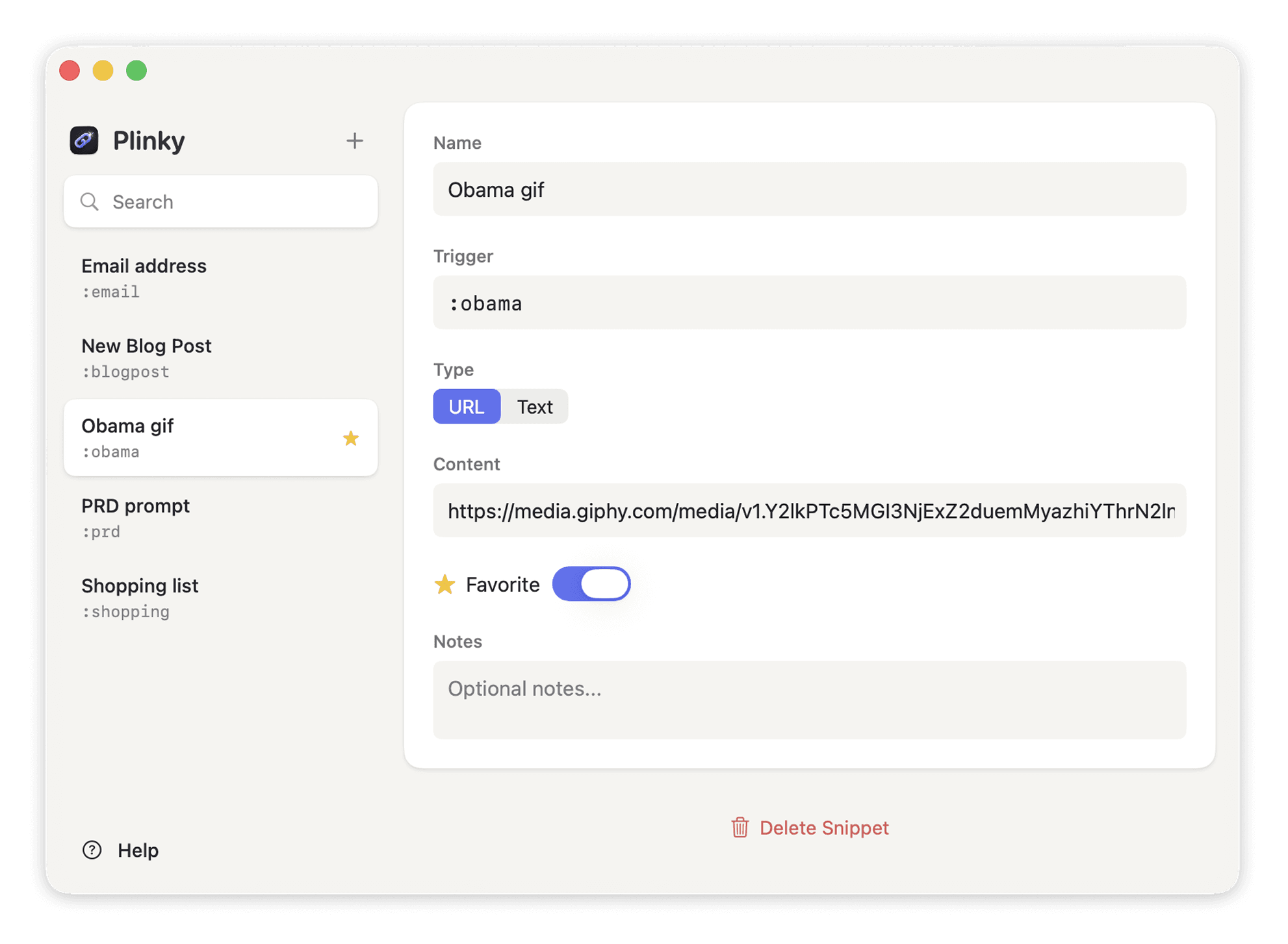
Save a snippet
Open Plinky from the menu bar. Give something you type all the time — an email address, a URL, a sign-off — a short trigger. Like :email or :sig.
Type it anywhere
In Mail, Slack, Notes, VS Code, Terminal — anywhere you can type. Just write the trigger and hit space.
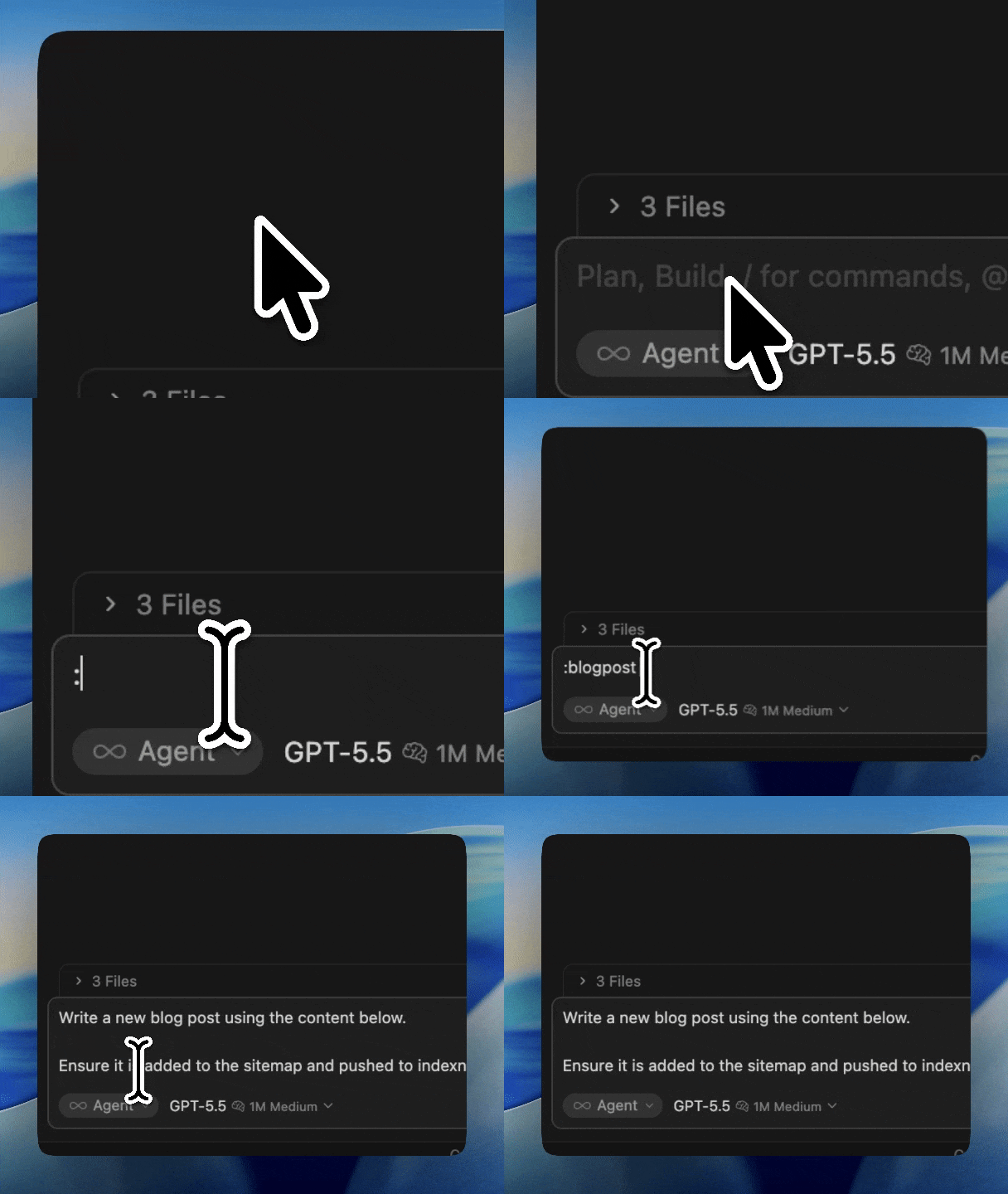
It's already there
Plinky replaces the trigger with your saved content in a flash. No lag, no menus, no shortcuts to remember. Like it was never a trigger at all.
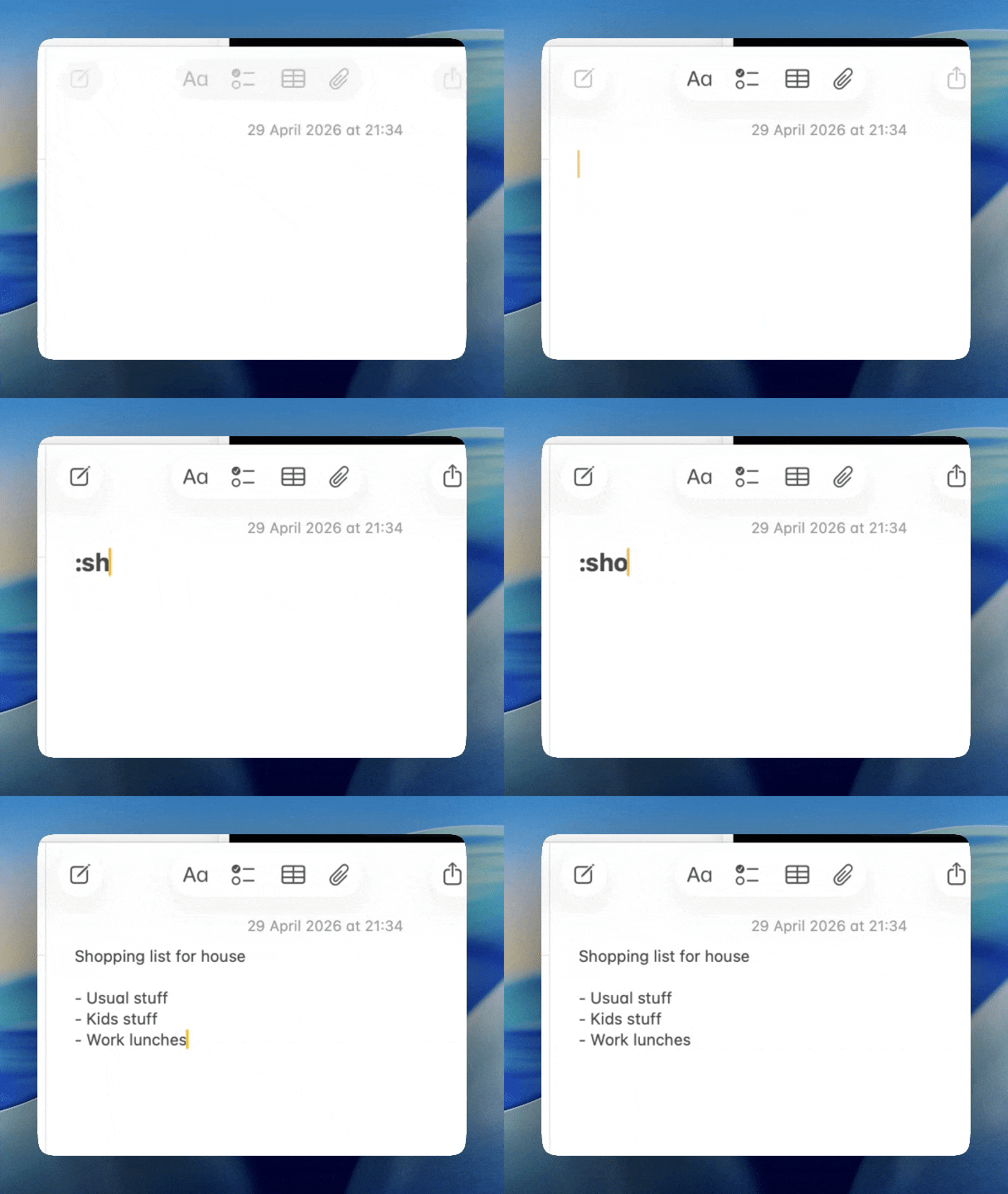








Mail. Slack. Notes.
VS Code. Every app.
Plinky hooks into the keyboard layer — if you can type in it, Plinky works in it. No browser extension, no per-app setup.
Your snippets stay on your Mac.
No cloud, no sync, no accounts. Plinky never sees your snippets — and neither does anyone else.
Type it. Hit space.
It's already there.
Expansion is instant. No delay, no cursor flicker, no menus. Fast enough that you'll forget it's there.
Emails, URLs, signatures, code.
Short triggers for long things. If you type it more than once, it belongs in Plinky.
Download. Open. Start.
No sign-up, no email, no subscription nag screens. It's your Mac — Plinky respects that.
No subscription.
Ever.
Pay once. Use Plinky for as long as you like.
Unlimited snippets · Every app · Local & private · Free updates for life
Same app, same features. A little extra support for an indie builder making tools they love.